 Khan Nasir
The cloud and online security touch everything we do online — your website, your files, your business data, your privacy. Yet “the cloud” still sounds vague to many people, and online security feels overwhelming. This complete guide demystifies both: what cloud computing is and how it works, the types and benefits, the major providers, and — just as importantly — how to keep your data, website, and self secure online. Whether you’re moving a business to the cloud or simply want to understand and protect your digital life, this guide gives you the foundation in plain English.
Also Read


What Is Cloud Computing?
Cloud computing means using computing services — servers, storage, databases, software — over the internet (“the cloud”) instead of on your own local computer or server. Rather than owning and maintaining physical hardware, you rent what you need from a cloud provider and access it online, paying only for what you use. When you store photos in an online service, stream a movie, or use a web-based app, you’re using the cloud. It’s simply someone else’s powerful, well-maintained computers, available to you on demand over the internet — which is far more flexible and often cheaper than running your own.
How the Cloud Works
Cloud providers operate massive data centers full of servers around the world. When you use a cloud service, your requests travel over the internet to these servers, which do the heavy lifting — storing your data, running your application, or serving your website — and send the results back to you. Because the infrastructure is shared across many users and spread across locations, the cloud can scale instantly, stay highly reliable (if one server fails, others take over), and be accessed from anywhere. You get the power of enterprise-grade computing without owning any of the hardware.
Types of Cloud
- Public cloud — services delivered over the internet and shared among many customers (the most common, run by big providers). Cost-effective and scalable.
- Private cloud — cloud infrastructure dedicated to a single organization, for more control and security (common for large enterprises with strict requirements).
- Hybrid cloud — a mix of public and private, letting organizations keep sensitive data private while using the public cloud for flexibility and scale.
Cloud Service Models: IaaS, PaaS, SaaS
Cloud services come in three main models. IaaS (Infrastructure as a Service) rents you the raw building blocks — servers, storage, networking — which you manage (most flexible). PaaS (Platform as a Service) provides a ready environment to build and run applications without managing the underlying servers (great for developers). SaaS (Software as a Service) delivers complete software over the internet that you simply use — like web-based email or office apps (most hands-off). Understanding these helps you know what you’re getting and how much you’ll manage yourself.
Benefits of the Cloud
- Scalability — add or reduce resources instantly as needs change.
- Cost efficiency — pay for what you use; no big hardware purchases.
- Accessibility — reach your data and apps from anywhere with internet.
- Reliability — built-in redundancy keeps services running.
- Automatic updates & maintenance — handled by the provider.
- Collaboration — teams can work on shared data from anywhere.
Cloud Hosting Explained
Cloud hosting applies cloud computing to websites: instead of your site living on one server, it runs across a network of connected cloud servers. This means better reliability (no single point of failure), flexible scaling to handle traffic spikes, and strong performance. It’s an excellent option for growing sites and businesses that need uptime and the ability to scale. To compare it with traditional options, see our guides on cloud hosting providers and the broader complete guide to web hosting.
The Major Cloud Providers
A few providers dominate cloud computing: Amazon Web Services (AWS), the largest, with an enormous range of services; Microsoft Azure, popular with enterprises and integrated with Microsoft tools; and Google Cloud Platform (GCP), strong in data and machine learning. There are also specialists like managed-cloud hosts that make cloud power easier for everyday users. The “best” depends on your needs, budget, and existing ecosystem — but for most websites and small businesses, a managed cloud host removes the complexity of using the big platforms directly.
Is the Cloud Secure?
A common worry is whether the cloud is safe. The reassuring reality: major cloud providers invest enormously in security — often far more than any individual business could — with robust physical security, encryption, monitoring, and compliance. In many ways, reputable cloud services are more secure than a typical self-managed server. However, security in the cloud is a shared responsibility (more below), and how you configure and use it matters enormously. The cloud can be very secure, but it isn’t automatically secure — your settings and habits are a crucial part of the equation.
The Shared Responsibility Model
Cloud security works on a “shared responsibility” model: the provider secures the underlying infrastructure (the data centers, hardware, and core services), while you are responsible for securing what you put in the cloud — your data, access controls, passwords, configurations, and applications. Many cloud security incidents come not from the provider being hacked, but from customers misconfiguring settings or using weak credentials. Understanding where the provider’s responsibility ends and yours begins is essential to staying secure in the cloud.
Why Online Security Matters
Beyond the cloud, online security protects everything you do on the internet — your accounts, data, money, privacy, and reputation. Cyber threats are constant and growing, targeting individuals and businesses alike. A single breach can mean stolen identities, drained accounts, lost data, or a damaged business. The good news is that most attacks exploit basic weaknesses, so understanding the fundamentals and following good habits dramatically reduces your risk. Security isn’t just for tech experts; it’s an essential life skill in a connected world.
Common Online Threats
- Malware — malicious software (viruses, spyware, ransomware) that damages or hijacks devices and data.
- Phishing — fake emails or messages tricking you into revealing passwords or data.
- Data breaches — attackers stealing data from services you use.
- Ransomware — malware that locks your data and demands payment.
- Weak/stolen passwords — the cause of a huge share of account compromises.
- Public Wi-Fi snooping — data intercepted on unsecured networks.
Passwords and Authentication
Strong authentication is your first line of defense. Use long, unique passwords for every account (a password manager makes this easy), and never reuse passwords across sites — one breach then can’t unlock everything. Crucially, enable two-factor authentication (2FA) wherever it’s offered: it adds a second step (like a code on your phone) so a stolen password alone isn’t enough to get in. These two habits — unique passwords and 2FA — prevent the vast majority of account hacks, and they’re simple to adopt.
Encryption and SSL
Encryption scrambles data so only authorized parties can read it — protecting it in transit and at rest. On the web, this shows up as SSL/TLS, which creates the secure “https” padlock and encrypts data between your browser and a website. Always look for https when entering sensitive information, and if you run a website, ensure it has an SSL certificate (reputable hosts include one free). Encryption is a cornerstone of online security, quietly protecting your logins, payments, and private data every day.
VPNs and Private Browsing
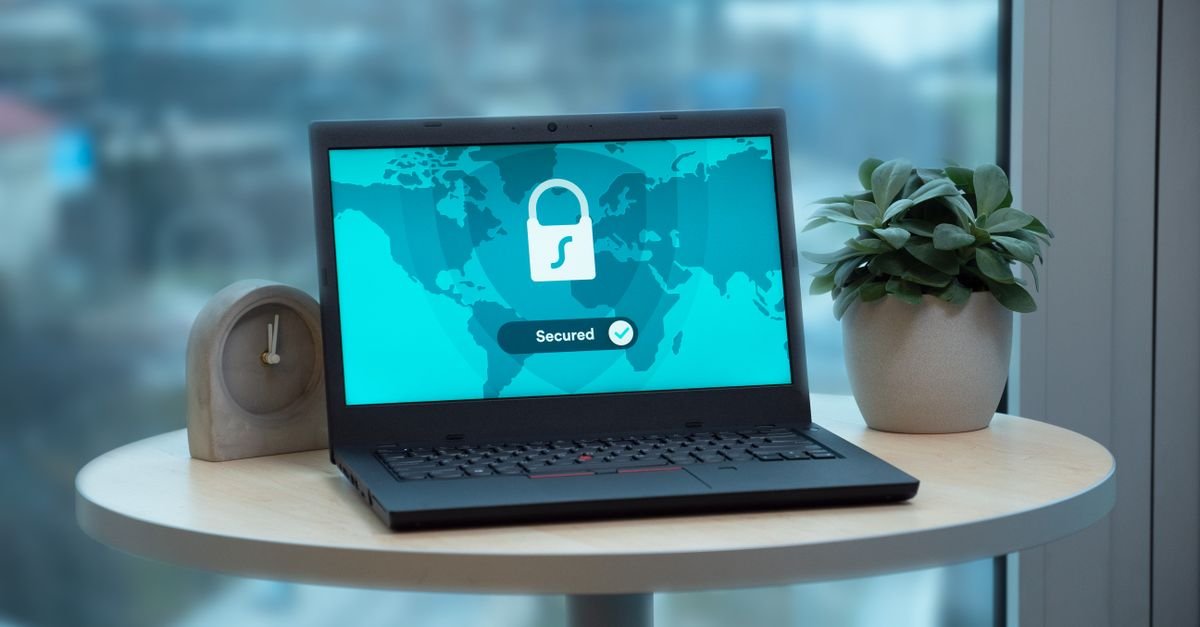
A VPN (virtual private network) encrypts your internet connection and hides your IP address, protecting your privacy and securing your data — especially on public Wi-Fi where snooping is a real risk. VPNs are valuable for remote workers handling sensitive data, privacy-conscious users, and anyone using untrusted networks. They’re not a complete security solution, but they’re a strong layer of protection. To choose one, see our guide to the best VPN, and for remote teams specifically, our VPN guide for remote workers.
Firewalls and Security Software
Firewalls act as a barrier, controlling what traffic can reach your device or network and blocking malicious connections. Combined with reputable antivirus/anti-malware software, they protect against many common threats. Keep this software active and updated, whether it’s built into your operating system or a dedicated product. For businesses, dedicated cybersecurity software adds protection across all devices — see our guide on cybersecurity software for enterprises. These tools are a practical, essential layer of defense.
Data Privacy and Protection
Privacy is about controlling who can access your personal information. Be mindful of what you share online, review privacy settings on accounts and apps, be cautious about the permissions you grant, and understand that “free” services often monetize your data. For families, tools like parental control software help protect children’s privacy and safety online. Protecting privacy is increasingly important as more of our lives move online, and small, conscious choices add up to meaningful protection.
Backups and Disaster Recovery
Even with great security, things can go wrong — hardware fails, ransomware strikes, mistakes happen. Regular backups are your safety net, letting you recover data after a disaster. Follow the principle of keeping multiple copies, including one off-site or in the cloud. For businesses, a disaster recovery plan ensures you can get back up and running quickly after an incident. Cloud services make robust backups easier than ever. Whatever your setup, backups are non-negotiable — the difference between a hiccup and a catastrophe.
Securing Your Website
If you run a website, securing it protects you and your visitors. Use SSL (https), keep your platform, themes, and plugins updated, use strong admin passwords and 2FA, install security tools, limit access, and keep regular backups. Choose reputable hosting with good security, and be cautious with third-party code. Many site hacks exploit outdated software or weak passwords — both easily prevented. A secure site maintains visitor trust, protects data, and avoids the costly nightmare of cleaning up after a breach.
Cloud Security Best Practices
- Strong access controls — unique credentials, 2FA, and least-privilege access (only what each user needs).
- Encrypt sensitive data — in transit and at rest.
- Configure carefully — misconfiguration is a leading cause of cloud breaches.
- Monitor activity — watch for unusual access.
- Keep backups — don’t assume the cloud means you don’t need them.
- Follow the provider’s security guidance — they offer tools and best practices; use them.
Common Security Mistakes to Avoid
- Reusing passwords across accounts.
- Skipping two-factor authentication.
- Ignoring software updates (which patch security holes).
- Clicking suspicious links or attachments.
- Using public Wi-Fi for sensitive tasks without a VPN.
- Misconfiguring cloud settings or leaving data exposed.
- Having no backups.
The Future of Cloud and Security
Both fields are evolving fast. Cloud adoption keeps growing, with more businesses going cloud-first and new models like serverless computing and edge computing emerging. On the security side, threats grow more sophisticated, but so do defenses — including AI-powered threat detection and “zero trust” approaches that verify everything rather than trusting by default. The fundamentals in this guide stay relevant, but it’s worth knowing the landscape keeps changing, and staying informed is part of staying secure.
Getting Started Safely
You don’t need to be an expert to be secure. Start with the high-impact basics: use unique passwords and a password manager, turn on 2FA everywhere, keep your software updated, be skeptical of unexpected emails and links, use a VPN on public Wi-Fi, and keep backups. If you use cloud services, configure them carefully and follow the provider’s security guidance. These steps prevent the vast majority of problems. Security is a habit, not a one-time task — build these practices in, and you’ll be far safer than most.
Cloud vs. Traditional Hosting and IT
The traditional approach to computing meant buying and maintaining your own servers and hardware — expensive, fixed in capacity, and requiring in-house expertise. The cloud flips this: you rent flexible resources on demand, scale up or down instantly, and let the provider handle maintenance. For most businesses and websites today, the cloud is more cost-effective, more scalable, and less hassle than running your own infrastructure. Traditional setups still make sense for organizations with very specific control, compliance, or legacy requirements, but the clear trend — for good reason — is toward the cloud.
How Businesses Use the Cloud
Businesses of every size rely on the cloud. They host websites and applications, store and back up data, run email and collaboration tools, analyze data, and deliver software to customers. Startups use the cloud to launch quickly without big upfront costs; large enterprises use it to scale globally and innovate faster. Cloud services also power remote work, letting teams access systems and collaborate from anywhere. For most modern businesses, the question isn’t whether to use the cloud, but how to use it well and securely — making cloud literacy an increasingly important skill.
Cloud Costs: What to Expect
One of the cloud’s appeals is its pricing model: you generally pay only for the resources you use, avoiding big hardware investments. Costs vary widely depending on what you use — storage, computing power, data transfer, and services all factor in. This flexibility is powerful but can also lead to surprise bills if usage isn’t monitored, so it pays to understand and track your cloud spending. For small websites, managed cloud hosting offers predictable, affordable pricing; for complex setups, the major platforms offer detailed, usage-based pricing. Either way, monitoring usage keeps costs under control.
Security for Small Businesses
Small businesses are frequent targets precisely because they often have weaker defenses — but strong security doesn’t require a big budget. Focus on the essentials: enforce strong passwords and 2FA, keep software updated, train staff to spot phishing, secure your website with SSL, back up data regularly, limit access to what each person needs, and use reputable security software. For data in the cloud, follow the provider’s security guidance. These fundamentals prevent the large majority of attacks — and a little proactive security is far cheaper than recovering from a breach, which can be devastating for a small business.
How to Spot a Phishing Attempt
Phishing — fake messages designed to steal your information — is one of the most common and effective attacks, so learning to spot it is valuable. Warning signs include unexpected urgency (“act now or your account will be closed”), requests for passwords or payment details, generic greetings, suspicious or misspelled sender addresses, links that don’t match the real website, and poor spelling or grammar. When in doubt, don’t click — go directly to the official website or contact the company through known channels instead. Being skeptical of unexpected emails and links is one of the simplest, most powerful security habits you can build.
Cloud Storage: Files Safe and Accessible Anywhere
One of the most popular everyday uses of the cloud is storage — keeping your files, photos, and documents on remote servers instead of (or in addition to) your own device. The benefits are real: your files are accessible from any device with an internet connection, they are protected if your device is lost or breaks, and they are easy to share and collaborate on. Cloud storage also doubles as an offsite backup, safeguarding important data against local disasters. For security, choose reputable services, use strong passwords and 2FA on your storage accounts, and be mindful of what sensitive data you store and how it is shared. Cloud storage combines convenience and protection — just be sure to secure the account that holds it, since that account becomes the key to all your files.

Frequently Asked Questions
What is cloud computing in simple terms?
It’s using computing services — servers, storage, software — over the internet instead of on your own computer or server. You rent what you need from a provider and access it online, paying for what you use, rather than owning and maintaining hardware.
Is the cloud safe to use?
Major cloud providers invest heavily in security and are often more secure than a self-managed server. But security is a shared responsibility — the provider secures the infrastructure, while you must secure your data, access, and configurations. Used correctly, the cloud is very safe.
What are IaaS, PaaS, and SaaS?
They’re cloud service models. IaaS rents raw infrastructure (servers, storage) you manage; PaaS provides a platform to build and run apps without managing servers; SaaS delivers ready-to-use software over the internet. They range from most hands-on (IaaS) to most hands-off (SaaS).
How can I protect myself online?
Use unique passwords with a password manager, enable two-factor authentication everywhere, keep software updated, avoid suspicious links, use a VPN on public Wi-Fi, and keep backups. These high-impact basics prevent the large majority of attacks.
Do I need a VPN?
A VPN is valuable if you use public Wi-Fi, work remotely with sensitive data, or want more privacy online — it encrypts your connection and hides your IP. It’s not a complete security solution but a strong protective layer for many people.
What is the shared responsibility model?
In cloud security, the provider secures the underlying infrastructure, while you secure what you put in the cloud — your data, access controls, and configurations. Many breaches stem from customer misconfiguration, so knowing your responsibilities is essential.
Why are backups so important?
Backups let you recover data after hardware failure, ransomware, mistakes, or breaches. Keeping multiple copies, including one off-site or in the cloud, turns a potential catastrophe into a manageable hiccup. Backups are a non-negotiable part of security.
Want secure cloud without managing it?
Cloudways delivers managed cloud servers with dedicated firewalls, SSL, and regular patching handled for you. Explore Cloudways →
Key Takeaways
- Cloud computing means renting computing services over the internet — scalable, cost-effective, and accessible anywhere.
- Know the types (public, private, hybrid) and models (IaaS, PaaS, SaaS), and the major providers (AWS, Azure, Google Cloud).
- The cloud is secure when used correctly, under a shared responsibility model — your configuration and habits matter.
- Online security basics — unique passwords, 2FA, updates, encryption/SSL, VPNs, and caution — stop most attacks.
- Always keep backups, secure your website and cloud settings, and treat security as an ongoing habit.
The cloud and online security don’t have to be intimidating — with the fundamentals in this guide, you can use cloud services confidently and protect your data, website, and privacy effectively. Start with the high-impact basics, stay informed, and build good habits. For more, explore our full Cloud & Security collection.


 Khan Nasir