 Khan Nasir
Affiliate disclosure: As an Amazon Associate, ClickOn24 earns from qualifying purchases. If you buy through our links we may earn a small commission, at no extra cost to you. We only recommend gear we’d use ourselves.
Also Read


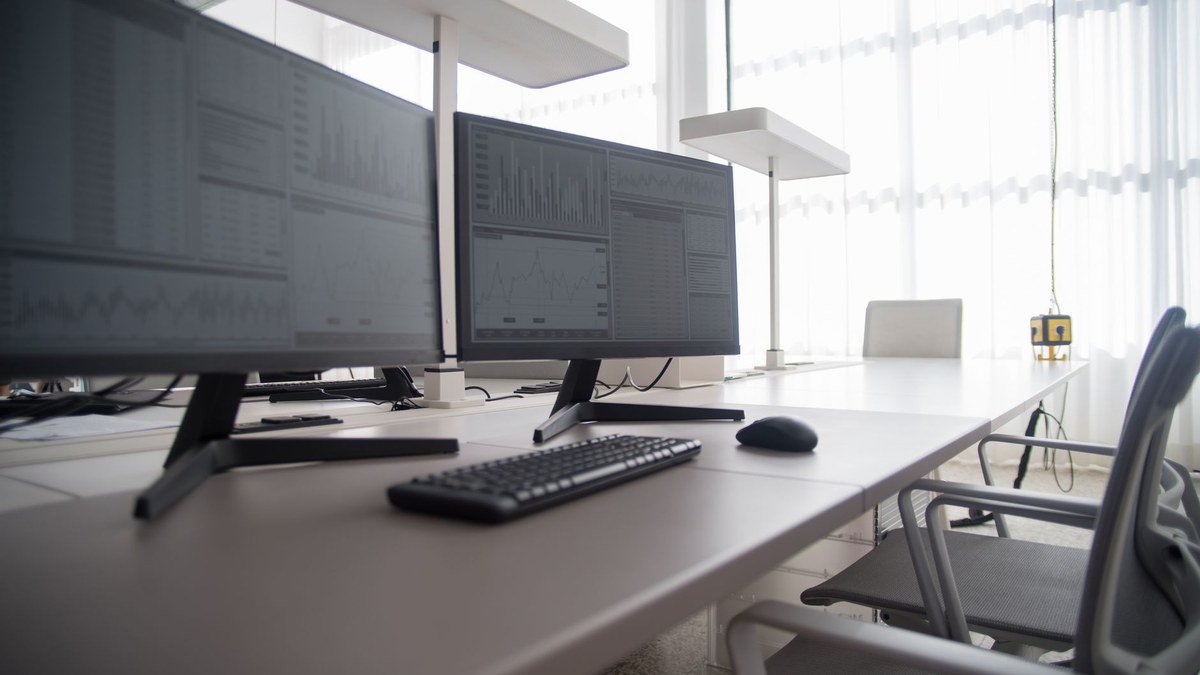
The single biggest upgrade to my daily productivity wasn’t a faster laptop — it was finally getting a proper monitor (and then a second one). Squinting at a 14-inch laptop screen all day, constantly alt-tabbing between code, terminal, and browser, was quietly draining me. A good monitor gives you room to think, reduces eye strain, and genuinely makes you faster. If you code or work at a desk for hours, it’s the upgrade with the best return on investment.
Here are the 12 best monitors for coding and productivity — ultrawides, dual-monitor picks, 4K displays, budget options, and more — plus how to choose the right size, resolution, and panel. For more, see our technology guides.
Why a good monitor matters for developers
More screen space means you can see your code, terminal, documentation, and browser at once — less context-switching, fewer mistakes, more flow. A higher-resolution display renders crisp text that’s far easier on your eyes over an eight-hour day, and features like adjustable height and blue-light filtering protect your posture and comfort. For something you stare at all day, a quality monitor pays for itself in productivity and reduced fatigue within weeks.
What to look for in a coding monitor
- Resolution — 1440p is the sweet spot for crisp text; 4K is gorgeous on larger screens.
- Size — 27 inches for 1440p, 32 inches or ultrawide for more space.
- Panel type — IPS for accurate color and wide viewing angles.
- Ergonomics — height/tilt adjustment saves your neck.
- Connectivity — USB-C with power delivery charges your laptop over one cable.
- Eye comfort — flicker-free and low-blue-light modes for long days.
The 12 best monitors for coding
1. Best overall — 27" 1440p IPS
A 27-inch 1440p IPS monitor is the developer sweet spot: crisp text, plenty of space, accurate color, and a reasonable price. Add USB-C charging and a height-adjustable stand and it’s the desk upgrade most coders should buy first.
- ✅ Crisp text, great space
- ✅ Accurate IPS color
- ❌ Get the adjustable-stand version
Check Today’s Price on Amazon →
2. Best ultrawide monitor
An ultrawide replaces a dual-monitor setup with one seamless screen — perfect for code beside docs beside terminal, with no bezel in the middle. Once you go ultrawide, it’s hard to go back.
- ✅ Tons of horizontal space
- ✅ No center bezel
- ❌ Takes desk depth & width
Check Today’s Price on Amazon →
3. Best 4K monitor
A 4K display delivers stunning, razor-sharp text that’s wonderful for long reading and detailed work. Best at 32 inches so you get the resolution benefit without needing heavy scaling.
- ✅ Ultra-sharp text & detail
- ✅ Great for design + code
- ❌ Pricier; needs a capable GPU
Check Today’s Price on Amazon →
4. Best budget monitor
You don’t need to spend much for a big productivity boost. A solid 24–27 inch 1080p or 1440p IPS monitor at a budget price beats squinting at a laptop screen every time.
- ✅ Affordable big upgrade
- ✅ Good enough for most coding
- ❌ Basic stand & features
Check Today’s Price on Amazon →
5. Best dual-monitor pick
Two matching monitors remain a developer classic — code on one, everything else on the other. Buy two of a slim-bezel model for a clean, expansive setup.
- ✅ Massive total workspace
- ✅ Flexible window arrangement
- ❌ Needs desk space & two outputs
Check Today’s Price on Amazon →
6. Best portable monitor
For laptop-based developers and travelers, a USB-C portable monitor adds a second screen anywhere — café, hotel, client site. Lightweight and powered over one cable.
- ✅ Second screen on the go
- ✅ USB-C single-cable
- ❌ Smaller & dimmer than desktop monitors
Check Today’s Price on Amazon →
7. Best vertical / rotating monitor
A monitor that pivots to portrait is brilliant for reading long files, logs, and documentation — you see far more lines at once. Many developers run one landscape, one portrait.
- ✅ See more code lines
- ✅ Great for docs & logs
- ❌ Needs a pivoting stand
Check Today’s Price on Amazon →
8. Best USB-C / single-cable monitor
A USB-C monitor with power delivery charges your laptop, drives the display, and connects peripherals over one cable — a clean, clutter-free desk. A genuine quality-of-life upgrade for laptop users.
- ✅ One cable does everything
- ✅ Tidy, simple desk
- ❌ Confirm wattage matches your laptop
Check Today’s Price on Amazon →
9. Best big 32"+ monitor
A large 32-inch (or bigger) monitor gives you ultrawide-like space in a standard shape — ideal if you like multiple windows tiled on one big screen.
- ✅ Lots of tiling space
- ✅ Immersive single screen
- ❌ Sit a bit farther back
Check Today’s Price on Amazon →
10. Best eye-care monitor
If long hours leave your eyes aching, a monitor with flicker-free tech, strong low-blue-light modes, and a matte anti-glare finish makes a real difference to comfort.
- ✅ Reduces eye strain
- ✅ Anti-glare matte finish
- ❌ Still take regular screen breaks
Check Today’s Price on Amazon →
11. Best curved monitor
A curved ultrawide wraps the screen slightly toward you, keeping edges in comfortable view and reducing neck movement across a wide display. Great for immersive, expansive workspaces.
- ✅ Comfortable wide viewing
- ✅ Immersive & modern
- ❌ Curve is personal preference
Check Today’s Price on Amazon →
12. Best monitor with built-in dock/KVM
A monitor with a built-in KVM or dock lets you switch between, say, a work and personal machine on one screen and keyboard — superb for developers juggling multiple computers.
- ✅ Switch machines seamlessly
- ✅ Reduces cable clutter
- ❌ Premium feature, higher price
Check Today’s Price on Amazon →
How we chose these monitors
We focused on the things that matter for code and text — resolution and pixel density for crisp characters, IPS panels for color and viewing angles, ergonomic stands for all-day comfort, and USB-C convenience — across sizes and budgets. We included options for every setup, whether you want one big screen, dual monitors, an ultrawide, or a portable second display.
Setting up an ergonomic, productive desk
A great monitor deserves a good setup. Position the top of the screen at or just below eye level, about an arm’s length away, to protect your neck. Use a monitor arm if you want to free up desk space and fine-tune positioning. Pair it with an external keyboard and mouse so your laptop (or the monitor) sits at the right height. Add a low-blue-light mode for evenings and take a short break every hour — your eyes and back will thank you over the years.
Mistakes to avoid
- Buying 4K on a small screen — you’ll just scale it; 1440p at 27" is often better value.
- Ignoring the stand — non-adjustable stands wreck your posture; get height/tilt.
- Forgetting USB-C wattage — confirm it charges your specific laptop.
- Overlooking panel type — choose IPS for color and viewing angles.
- Cramming too much on one screen — balance size with comfortable viewing distance.
Frequently asked questions
What size monitor is best for coding?
27 inches at 1440p is the sweet spot for most developers — crisp text and plenty of space. Go 32-inch or ultrawide if you want even more room without a second screen.
Is 1440p or 4K better for programming?
1440p at 27" gives crisp text at a great price with no scaling hassle. 4K is gorgeous on 32"+ screens if you want maximum sharpness and don’t mind paying more.
Is an ultrawide or dual monitors better?
Ultrawide gives a seamless, bezel-free space; dual monitors are cheaper and let you angle screens independently. Both are excellent — it’s personal preference.
Do I need a USB-C monitor?
If you use a laptop, USB-C is a big convenience — one cable charges your laptop and drives the display. Just confirm the power delivery matches your laptop’s needs.
What panel type is best for coding?
IPS — it offers accurate color and wide viewing angles, which matters for text clarity and any design work. Avoid cheap TN panels for long sessions.
How do I reduce eye strain at my monitor?
Use a flicker-free, low-blue-light display, set comfortable brightness, position the screen at eye level an arm’s length away, and take short breaks each hour.
Is a portrait monitor worth it for coding?
Many developers love a vertical monitor for reading long files, logs, and docs — you see far more lines at once. Running one landscape and one portrait is a popular combo.
How many monitors do programmers use?
One large or ultrawide is plenty for many; others prefer two or three. More screens help until they become a distraction — match it to your workflow.
One big monitor vs multiple monitors
This is the classic debate. A single large or ultrawide monitor gives a clean, seamless workspace with no bezels interrupting your view — great if you like tiling windows on one surface. Multiple monitors let you dedicate each screen to a task (code on one, docs/Slack on another) and angle them independently, which some people find more organized. There’s no wrong answer — many developers run one ultrawide plus a vertical secondary for logs and documentation. Start with one excellent monitor; you can always add a second later once you know how you work.

Do you need a monitor arm?
A monitor arm isn’t essential, but it’s a lovely upgrade. It frees up the desk space the stand occupied, lets you position the screen at the perfect height and distance for your posture, and makes it easy to push the monitor back or swing it aside. For multi-monitor or standing-desk setups especially, arms keep everything tidy and ergonomic. If you spend all day at your desk, it’s a small investment in long-term comfort.
Will my laptop drive an external monitor?
Almost certainly — check the laptop’s video output (HDMI, USB-C/Thunderbolt) and the max resolution it supports. For 4K at 60Hz or running two monitors, confirm the port and GPU can handle it.
Can I use a TV as a coding monitor?
You can in a pinch, but TVs usually have lower pixel density and worse text clarity than a proper monitor at typical viewing distances. For all-day coding, a dedicated monitor is far easier on the eyes.
Bottom line
If you do one desk upgrade this year, make it a good monitor. A 27-inch 1440p IPS display with USB-C and an adjustable stand is the best all-round choice for most developers. Want more space? Go ultrawide or add a second screen. Care about crispness above all? A 32-inch 4K. Get the ergonomics right, protect your eyes, and enjoy the productivity boost — it’s the upgrade you’ll feel every single day. 🖥️💻
— The ClickOn24 team 💻


 Khan Nasir