 Khan Nasir
Building a website used to mean weeks of work or a developer’s invoice. In 2026, you describe what you want in plain English and an AI assembles a working site in minutes — copy, images, layout, and all. The category is growing fast (analysts project the website-builder market past $14 billion by decade’s end), and it’s genuinely useful. It’s also over-hyped in specific ways worth knowing before you pick one.
Also Read


Quick answer: the best AI website builder depends on the job — an all-in-one platform builder (Wix ADI, Hostinger’s AI builder, Squarespace’s AI tools) for the fastest small-business site, a design-first tool for marketers who want control, and AI-assisted WordPress for anyone who wants to own their stack. Use AI to skip the blank page; keep a human hand on the final result.
Key takeaways
- AI builders are fastest for simple sites — brochure, portfolio, small business, landing pages.
- “Type a prompt, get a site” is real, but the first draft is a starting point, not a finished product.
- Platform lock-in is the hidden cost — most AI builders keep your site inside their ecosystem.
- For content-heavy or growth-focused sites, AI-assisted WordPress keeps you in control of your data.
- Always review AI-generated copy for accuracy and voice before publishing — the model guesses confidently.
What an AI website builder actually does
Two things get bundled under one label. First, site generation: you answer a few questions or write a prompt, and the tool produces a complete multi-page site with structure, placeholder-quality copy, stock or generated images, and a color scheme. Second, AI assistance inside a normal builder: text rewriting, image generation, layout suggestions, and chat help while you edit.
The best products do both. The generation gets you from nothing to something in minutes; the assistance helps you shape that something into a site that’s actually yours. Understanding the split is what keeps expectations realistic — the AI builds the scaffold, you finish the building.
The all-in-one platform builders
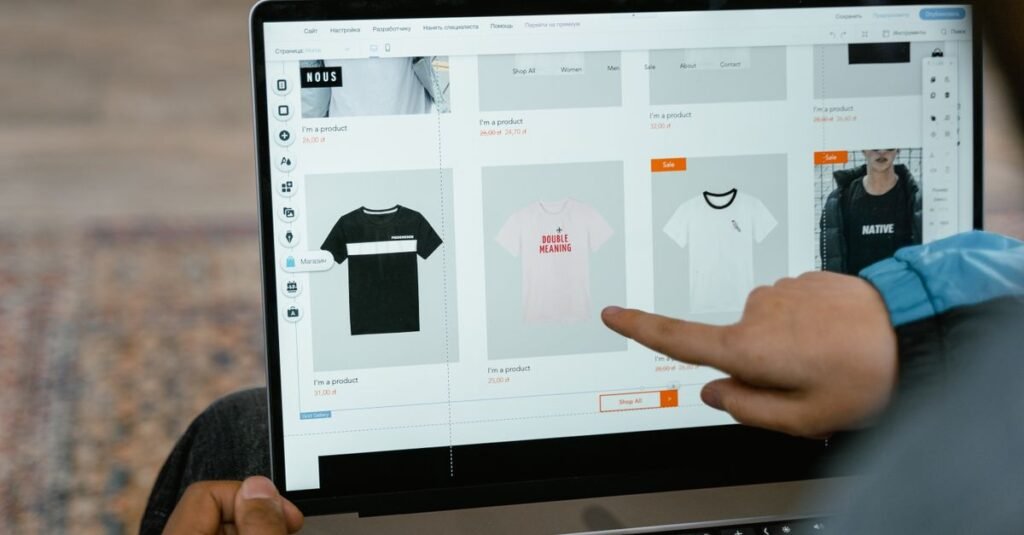
These host the site and build it in one subscription — the fastest path for a non-technical owner. Wix pioneered AI site generation and remains among the most capable, turning a business description into a styled, working site. Squarespace pairs its famously polished templates with AI copy and layout help. Hostinger’s AI builder bundles generation with genuinely affordable hosting, which makes it the value pick when you want the site and the hosting handled together.
The trade-off is uniform across the tier: convenience for control. You build their way, and the site lives in their ecosystem — which matters most when you consider leaving, covered in the lock-in section below.
AI-assisted WordPress: control plus speed

If you want AI’s speed without surrendering ownership, WordPress is the answer — AI page builders and content tools now plug into it directly. You get generated layouts and copy, and you keep full control of your site, your data, and your hosting choice.
The catch is that you manage more: hosting, updates, and the plugin stack are yours. But for any site meant to grow — a real content operation, a store, anything where you’ll eventually care about SEO depth and data portability — the ownership is worth it. Pair it with solid managed hosting from our managed WordPress guide and you get most of the builders’ convenience without their ceiling.
How good is AI-generated copy, really?

Better than a blank page, not better than an editor. AI writes fluent, structurally sound copy fast — and states wrong facts, invents details, and drifts from your brand voice with total confidence. For a homepage tagline, that’s harmless; for your services, pricing, or anything a customer relies on, it’s a liability if published raw.
The working rule mirrors our AI content creation guide: let the AI draft, then fact-check every claim, rewrite for your actual voice, and add what the model can’t know — your experience, your specifics, your opinions. That editorial pass is the difference between a site that sounds like everyone’s and one that sounds like yours.
AI-generated images: fast, with caveats
Most AI builders generate or source images automatically, which solves the “I have no photos” problem instantly. Two cautions: generated images can look generically AI (and audiences increasingly notice), and usage rights vary by tool and tier — read the license for anything commercial. For a local business, real photos of your actual work still outperform any generated image on trust.
The lock-in question nobody asks first
Here’s the cost that doesn’t appear on the pricing page: portability. Most all-in-one AI builders keep your site inside their platform — leaving often means rebuilding from scratch elsewhere, because the site isn’t a set of standard files you can move. Your content, your design, and sometimes even your domain workflow are tied to the vendor.
WordPress sits at the opposite end: standard, exportable, movable to any host. Neither is wrong — a tiny brochure site may never need to move, and the convenience is real. But decide with eyes open, because “it’s so easy to build” and “it’s very hard to leave” are often the same platform’s two faces. Our domain ownership guide covers keeping at least your address portable regardless of builder.
What AI builders are genuinely great for

Match the tool to the job and the category shines. AI builders excel at: brochure and small-business sites (hours, not weeks), portfolios, landing pages for a campaign or launch, rapid prototypes to show a client a direction, and first sites for people who’d otherwise never launch at all. For these, the speed is transformative and the limitations rarely bite.
Where they fall short
The honest limits: content-heavy sites (blogs and publications outgrow the builders’ thin content tools), serious e-commerce (dedicated platforms handle catalogs, payments, and scale better), anything needing deep SEO control, and sites you intend to grow and own long-term. When the site is a business asset rather than a digital business card, the ownership and depth of WordPress or a dedicated platform usually win within a year.
AI builder, traditional builder, or hire a pro?
The AI builder isn’t the only path, and honesty means naming the alternatives. A traditional website builder (Wix or Squarespace without leaning on AI generation) gives you the same hosted convenience with more manual control — better when you have a clear vision the AI keeps missing. Hiring a developer costs more but delivers custom functionality, real e-commerce depth, and a site built around your business rather than a template — worth it when the site is the business.
The rough map: brochure or first site with no budget, AI builder; specific design vision, traditional builder; revenue-critical or custom needs, a developer (usually on WordPress). Many businesses walk this ladder over time — AI builder to launch, WordPress to grow — and that’s a perfectly sensible progression, not a mistake.
The e-commerce question
AI builders will happily generate a store, and for a handful of products that’s fine. But serious selling — a real catalog, inventory, tax handling, scaling traffic — outgrows the builders’ bolt-on commerce quickly. Dedicated platforms and WooCommerce on proper hosting handle payments, product data, and Black Friday spikes in ways a generated store won’t.
If your site’s main job is selling, start where you’ll stay: our e-commerce hosting guide covers the platforms built for it. Use an AI builder for the marketing site around the store, not for the store itself once it matters.
Want the AI builder and the hosting in one place?
Hostinger bundles an AI website builder with genuinely affordable hosting and a free domain for the first year — the value pick when you want the site generated and hosted together. Check Hostinger’s AI Builder →
Watch out for these AI-builder pitfalls
Four traps catch first-time buyers. The generic-site problem: AI defaults produce sites that look like every other AI site — invest the time to customize, or blend in. Thin, unedited copy: publishing the AI’s first draft costs you both accuracy and rankings. Feature-gate surprises: the one thing you need (removing branding, e-commerce, more pages) often sits two pricing tiers up — check before committing. The export dead-end: confirm how you’d leave before you’re deeply invested, because “easy to build” and “hard to leave” are frequently the same platform.
How to choose without regret
Four questions settle it. What’s the site’s job? Brochure and portfolio lean all-in-one builders; content and growth lean WordPress. Who maintains it? Non-technical owners lean managed all-in-one; the comfortable-with-tech lean AI-WordPress. Will you need to move it? If maybe, prioritize portability now. What’s the real cost at renewal and at scale? Builders bundle hosting into tidy monthly pricing; check what growth (more pages, more traffic, e-commerce, removing platform branding) actually adds.
Trial before committing — every serious builder has a free tier or trial. Generate your actual site, not the demo, and judge the real output against your real needs.
The two-week test-drive plan
Pick two candidates and build your genuine homepage in each: same business description, same goals. Compare the generated structure, the copy quality (how much would you rewrite?), the design flexibility, and — critically — how it feels to edit once the AI’s first pass is done, since that’s where you’ll spend your actual time. Check the export/portability options and read the renewal price. Two weeks, two real attempts, and the choice makes itself — on your content, not a review’s screenshots (ours included).
Looking for recommendations? See our picks in Best Website Builders for 2026: How to Choose the Right One.
Frequently Asked Questions
Can AI really build a whole website?
Yes — modern AI builders generate a complete, working multi-page site from a prompt or a few questions, with layout, copy, and images. But the first draft is a starting point: plan to review the copy for accuracy and voice, and shape the design before it’s truly ready to publish.
Which AI website builder is best for a small business?
An all-in-one platform builder is usually fastest — Wix and Squarespace lead on capability, and Hostinger’s AI builder is the value pick because it bundles affordable hosting. If you expect to grow into serious content or want to own your stack, AI-assisted WordPress is the better long-term home.
Is AI-generated website content good for SEO?
It can be — search engines rank helpful content regardless of how it’s made — but raw, unedited AI content is exactly the unhelpful pattern that underperforms. Fact-check it, add genuine expertise and specifics, and match your voice; the editorial pass is what makes AI content rank.
What’s the catch with AI website builders?
Mainly platform lock-in — most all-in-one builders keep your site inside their ecosystem, so leaving can mean rebuilding elsewhere. Convenience is the trade for portability. WordPress avoids the lock-in at the cost of managing more yourself.
Are AI website builders free?
Most offer free tiers or trials, but published sites need a paid plan — and pricing climbs with pages, traffic, e-commerce, and removing platform branding. Read the renewal rate and the growth costs, not just the intro price, before committing.
Should I use an AI builder or hire a developer?
For a straightforward brochure, portfolio, or landing page, an AI builder delivers most of the value at a fraction of the cost. For custom functionality, serious e-commerce, or a site central to your business, a developer (often building on WordPress) is still the better investment. Many businesses start on a builder and graduate later.
Can I move my site off an AI builder later?
Often only with difficulty — most all-in-one AI builders keep your site inside their platform, so leaving can mean rebuilding elsewhere rather than exporting standard files. Check the export options before you commit, and at minimum keep your domain registered somewhere you control so your address stays portable even if the site doesn’t.
Do AI website builders work for blogs?
For a small blog, adequately — but content-heavy sites outgrow the builders’ thin content and SEO tools fast. If publishing is central to your plan, AI-assisted WordPress gives you far better content management, SEO depth, and ownership. Use a builder to launch quickly; move to WordPress when the blog becomes the point.
Will Google know my site was built by AI?
It doesn’t specifically penalize AI-built sites — it ranks helpful, original content however it’s made. What gets sites hurt is thin, generic, unedited output, which AI produces by default unless you customize the design and edit the copy. A well-finished AI-built site competes fine; a raw one blends into the crowd.
How long does it take to build a site with AI?
The generated first draft appears in minutes — that’s the genuine breakthrough. Getting to a publish-ready site takes longer: budget a few hours to a day to review and rewrite the copy, swap in real images where it matters, adjust the design away from the generic defaults, and set up your domain. Fast, but “minutes” is the draft, not the finish line.
The bottom line
AI website builders are a genuine leap: they turn “I need a website” into a live site the same afternoon, and for brochure sites, portfolios, and landing pages that’s transformative. Just build with eyes open — the AI drafts, you finish; the convenience is real, and so is the lock-in.
Fast site, simple needs: an all-in-one builder, with Hostinger’s the value pick. A site you’ll grow and own: AI-assisted WordPress every time. Either way, keep a human hand on the copy — the tool builds the scaffold, but the site still has to sound like you.


 Khan Nasir






