 Khan Nasir
If you want a website — a blog, a business site, an online store, a portfolio — you need web hosting. But for beginners, hosting is one of the most confusing parts of getting online: shared vs. VPS, bandwidth and uptime, renewal prices, managed vs. unmanaged… it’s a lot of jargon for something that should be simple. This complete guide to web hosting explains everything in plain English: what hosting is, how it works, the different types, how to choose the right one, what features matter, and how to get your site online. By the end, you’ll understand hosting well enough to make a confident, money-saving decision.
Also Read


What Is Web Hosting?
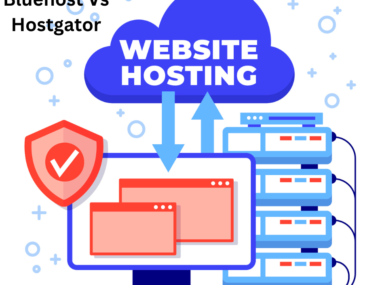
Web hosting is a service that stores your website’s files on a special computer called a server and makes them available to anyone on the internet. Every website lives on a server somewhere, running 24/7 so that when someone types your web address, the server delivers your site to their browser. In simple terms, web hosting is like renting space for your website to live online — without it, your site has nowhere to exist and no one can visit it. A hosting company owns and maintains these servers and rents space on them to website owners like you.

How Web Hosting Works
When someone visits your website, their browser sends a request across the internet to the server where your site is hosted. The server processes that request and sends back your website’s files — the pages, images, and content — which the browser assembles into the site you see. This happens in a fraction of a second, every time anyone loads your site. For this to work smoothly, the server needs to be fast, reliable, and online all the time. That’s exactly what a good hosting provider delivers: powerful, well-maintained servers that serve your site quickly and consistently to visitors anywhere in the world.
Web Hosting vs. a Domain Name
One of the most common beginner confusions is the difference between hosting and a domain — they’re two separate things that work together. Your domain name is your web address (like yoursite.com); it’s what people type to find you. Your web hosting is the space where your website’s files actually live. The domain is the address; the hosting is the house. You can buy them from the same company or separately, and you connect them by pointing your domain to your hosting. If you haven’t got a domain yet, our guide on how to buy a domain name walks you through it.
The Types of Web Hosting
Not all hosting is the same. The main types differ in how server resources are shared, how much power and control you get, and how much they cost. Understanding them is the key to choosing well.
Shared Hosting
Your website shares a single server (and its resources) with many other websites. It’s the cheapest, most beginner-friendly option — perfect for new and small sites with modest traffic. The trade-off is that because resources are shared, performance can dip if a neighboring site has a traffic spike. For most people starting out, shared hosting is the obvious, budget-friendly choice.
VPS Hosting
A Virtual Private Server (VPS) still shares a physical server, but you get a dedicated, guaranteed slice of its resources — more power, speed, and control than shared hosting, without the cost of a whole server. VPS is the sweet spot for growing websites and businesses that have outgrown shared hosting but don’t yet need a dedicated machine.
Dedicated Hosting
You rent an entire physical server just for your website, with all its resources and full control. It’s the most powerful (and most expensive) option, suited to large, high-traffic websites and businesses with serious performance or security needs. Most people never need dedicated hosting until their site is very large.
Cloud Hosting
Your website runs across a network of connected servers (the “cloud”) rather than a single machine. This offers excellent reliability (if one server fails, others take over) and flexible scaling — you can add resources on demand. Cloud hosting is great for sites that need high uptime and the ability to handle variable or growing traffic, and pricing often reflects the resources you actually use.
Managed WordPress Hosting
Hosting optimized specifically for WordPress, with speed tuning, automatic updates, enhanced security, and specialized support handled for you. It costs more than basic shared hosting but saves time and hassle — popular with bloggers and businesses who’d rather not manage the technical side.
Reseller Hosting
A plan that lets you host multiple websites and sell hosting to others under your own brand — useful for web designers, agencies, and entrepreneurs, but not something most site owners need.
Hostinger offers affordable shared, WordPress, and VPS hosting with free SSL, a free domain on annual plans, fast performance, and 24/7 support — a beginner-friendly place to launch your first site.
Affiliate disclosure: we may earn a commission if you sign up through this link, at no extra cost to you.
How to Choose the Right Web Hosting
The best hosting for you depends on your site’s needs. Start by asking: What kind of site is it (blog, business, store)? How much traffic do you expect? What’s your budget and technical comfort? A new blog is well served by shared or WordPress hosting; a growing business may need VPS; a large store may need cloud or dedicated. Match the hosting type to your current needs and upgrade later rather than overpaying up front. For a deeper walkthrough, see our guide on how to choose the right web hosting provider and our roundup of the best web hosting options.
Key Features to Look For
- Uptime — how reliably your site stays online (aim for 99.9%+).
- Speed & performance — SSD/NVMe storage, caching, and a CDN for fast loading.
- Storage & bandwidth — enough for your site’s files and traffic.
- Free SSL certificate — for the secure https padlock (should be included).
- Customer support — responsive, knowledgeable, ideally 24/7.
- Backups — regular automatic backups to protect your site.
- Ease of use — a friendly control panel and one-click installs.
- Scalability — room to upgrade as you grow.
Understanding Uptime and Reliability
Uptime is the percentage of time your hosting keeps your site online and accessible. It matters enormously: every minute your site is down, you lose visitors, sales, and trust. Look for a host with a strong uptime guarantee — 99.9% or better is the standard. Downtime during business hours is especially costly for stores and businesses, so reliability should be near the top of your checklist. A cheap host that’s frequently offline isn’t a bargain; it’s lost opportunity.
Speed and Performance
Site speed affects everything — user experience, conversions, and even your Google rankings. Visitors abandon slow sites, and search engines factor speed into how they rank pages. Good hosting is the foundation of a fast site: look for modern SSD or NVMe storage, built-in caching, and CDN support. No amount of optimization fixes a slow server, so quality hosting is one of the highest-impact speed investments you can make. For more, see our guide on how to speed up a WordPress site.
Security and SSL
Security protects your site and your visitors. A good host provides free SSL certificates (for the secure https padlock that encrypts data and builds trust), firewalls, malware scanning, and regular security updates. SSL is especially essential if you handle any user data or payments — and these days, it’s expected on every site. Don’t pay extra for a basic SSL certificate; reputable hosts include it free. Strong hosting-level security is your first line of defense against threats.
Customer Support
When something goes wrong with your website — and at some point it will — good support is invaluable. Look for a host with responsive, knowledgeable, 24/7 support via live chat or tickets, plus a solid knowledge base. Beginners especially benefit from a host whose support can walk them through problems patiently. Read reviews on support quality before committing; it’s the difference between a quick fix and hours of frustration.
How Much Does Web Hosting Cost?
Hosting is one of the more affordable parts of running a website. Shared hosting starts at just a few dollars a month, WordPress and VPS plans run higher, and dedicated or cloud hosting costs the most. For most new sites, you can get online for the price of a couple of coffees a month. Our detailed guide on how much web hosting costs breaks down the pricing by type — but the headline is: starting out is cheap.
Watch the Renewal Price
Here’s the single biggest beginner trap: many hosts advertise a very low introductory price, then renew at a much higher rate. Always check the renewal price, not just the first-term price — that’s what you’ll actually pay every year afterward. A host with honest, consistent pricing can save you real money over the life of your site. Comparing renewal costs is one of the smartest things you can do before buying.

Hosting for Different Needs
Your ideal hosting depends on what you’re building. A personal blog or small site is fine on affordable shared or WordPress hosting. A growing business site may want VPS for better performance and reliability. An online store needs fast, secure, scalable hosting that can handle transactions and traffic spikes — see our guide on the best web hosting for e-commerce. A portfolio just needs reliable, presentable hosting. Match the plan to the job, and don’t overbuy for needs you don’t have yet.
Free vs. Paid Hosting
Free hosting exists, but it comes with serious limits — forced ads, a subdomain instead of your own domain, weak performance, little support, and reliability risks. It’s fine for learning or testing, but not for anything you care about. Paid hosting — which starts cheaply — gives you your own domain, no ads, better speed and uptime, real support, and full control. For any real website, paid hosting is well worth the small cost. Our comparison of free vs. paid web hosting covers the trade-offs in detail.
How to Get Started With Web Hosting
Launching a site is simpler than it sounds. The basic steps: choose and register a domain name; pick a hosting plan that fits your needs and budget; sign up and connect your domain to your hosting; install your website platform (WordPress is the most popular, often via one-click install); and start building your site. Many hosts bundle the domain, make setup easy, and offer guided onboarding. Within an afternoon, you can go from idea to a live website. If you’re building a blog specifically, our step-by-step guide on how to start a blog covers the whole process.
Do You Need Managed Hosting?
Managed hosting means the provider handles the technical maintenance — updates, security, backups, performance tuning — so you don’t have to. It costs more than unmanaged hosting but saves time and stress, making it ideal for people who want to focus on their content or business rather than server administration. If you’re not technical (or simply value your time), managed hosting — especially managed WordPress — is often worth the premium. If you enjoy the technical side or want maximum control, unmanaged hosting gives you that at a lower price.
Migrating to a New Host
You’re not locked in forever — if your host is slow, unreliable, or overpriced, you can move. Migrating a website to a new host sounds daunting but is very doable, and done right, it causes little or no downtime. The key is to set up and test your site on the new host before switching your domain over, and to keep the old host running until everything’s confirmed working. Many hosts even offer free migration. For the full process, see our guide on how to migrate your website to a new host.
Hosting and SEO
Your hosting choice quietly affects your search rankings. Google considers page speed and reliability, both of which depend heavily on your host. A fast, always-online server helps your SEO and user experience; a slow, frequently-down host hurts both. Good hosting won’t rank a bad site, but poor hosting can hold back a good one. It’s another reason not to cut corners on hosting — it’s foundational infrastructure that touches everything from rankings to conversions.
The Importance of Backups
Things can go wrong — a hack, a bad update, an accidental deletion — and backups are your safety net. A good host provides regular automatic backups so you can restore your site if disaster strikes. Check what backup options your host includes (and how easy restoring is), and consider keeping your own backups too. Losing your website with no backup is one of the worst, most avoidable situations a site owner can face, so make sure backups are part of your hosting plan.
Common Web Hosting Mistakes to Avoid
- Choosing on price alone — the cheapest host often costs you in slow speeds and downtime.
- Ignoring the renewal price — the intro rate isn’t what you’ll keep paying.
- Overbuying — paying for VPS or dedicated when shared would do.
- Skipping backups — a recipe for disaster.
- Neglecting support quality — you’ll need help eventually.
- Forgetting to check uptime and speed — the features that matter most.
- Picking a host you can’t scale with — forcing a painful migration later.
Scaling as Your Site Grows
Your hosting needs will change as your site grows. A site that’s perfect on shared hosting today may need VPS or cloud hosting as traffic climbs. The good news is you can upgrade — so start with what fits now, monitor your site’s performance, and move up when you notice slowdowns or outgrow your resources. Choosing a host that offers a clear upgrade path (shared → VPS → cloud/dedicated) makes scaling smooth and avoids a disruptive migration. Plan for growth, but don’t pay for it before you need it.
Understanding Hosting Control Panels
Most hosting comes with a control panel — a dashboard where you manage your hosting without technical commands. The most common is cPanel, but some hosts use Plesk or their own custom panel. From here you handle files, email accounts, databases, one-click software installs (like WordPress), domains, backups, and security. A clean, beginner-friendly control panel makes managing your site far easier, so it’s worth checking which one a host uses and whether it suits you. If you’re new to it, our guide on what cPanel is and how to use it walks you through the essentials.
What About Email Hosting?
Many hosting plans also let you create professional email addresses on your own domain (like you@yoursite.com), which looks far more credible than a free generic address. Some hosts include email hosting in their plans; others offer it separately or recommend a dedicated email service. If a branded email matters to you — and for businesses it usually does — check whether your hosting includes it or what it costs to add. Professional email is a small detail that makes a big difference to how trustworthy your site and brand appear.

Frequently Asked Questions
What is web hosting in simple terms?
Web hosting is a service that stores your website’s files on a server and makes them available on the internet, so people can visit your site. It’s like renting space for your website to live online — without it, your site can’t be accessed by anyone.
What’s the difference between hosting and a domain?
A domain is your web address (yoursite.com) that people type to find you; hosting is the space where your site’s files live. The domain is the address, the hosting is the house. You connect them by pointing your domain to your hosting.
What type of hosting do I need?
For a new or small site, shared or WordPress hosting is ideal and affordable. Growing business sites may need VPS, and large or high-traffic sites may need cloud or dedicated hosting. Match the type to your current traffic and needs, and upgrade as you grow.
How much does web hosting cost?
Shared hosting starts at just a few dollars a month, with VPS, cloud, and dedicated hosting costing more. Most new sites can get online cheaply. Always check the renewal price, not just the introductory rate, since many hosts raise it after the first term.
Is free web hosting any good?
Free hosting is fine for learning or testing but not for real sites — it usually comes with ads, a subdomain, weak performance, little support, and reliability issues. Affordable paid hosting gives you your own domain, better speed, support, and control.
Can I change web hosts later?
Yes — you can migrate to a new host if yours is slow, unreliable, or expensive. Done correctly (setting up and testing on the new host before switching your domain), migration causes little or no downtime, and many hosts offer free migration help.
Do I need technical skills to use web hosting?
Not really — modern hosts offer beginner-friendly control panels and one-click installs for WordPress and other platforms. Managed hosting handles the technical maintenance for you. You can launch and run a website with little to no technical knowledge.
Key Takeaways
- Web hosting is the server space where your website lives so people can visit it — separate from your domain (your address).
- The main types are shared, VPS, dedicated, cloud, and managed WordPress — each suited to different needs and budgets.
- Choose based on your site type, traffic, budget, and technical comfort, and upgrade as you grow.
- Prioritize uptime, speed, security/SSL, support, and backups — and always check the renewal price.
- Start affordable, avoid the common mistakes, and pick a host with a clear path to scale.
Web hosting doesn’t have to be confusing — once you understand the types and what features matter, choosing the right one is straightforward. Match the hosting to your needs, watch the renewal pricing, prioritize speed and reliability, and you’ll have a solid foundation for everything you build online. Ready to dig deeper? Explore our full Web Hosting Guides for specific reviews and comparisons.


 Khan Nasir