 Khan Nasir
Editor’s Plain-English Take
Application Deployment Automation Systems: Practical DevOps Guide is strongest when it removes workflow friction for developers instead of adding another tool to maintain.
Also Read


Best for
- Development teams that need repeatable deployments, testing, monitoring, or collaboration.
- Technical founders standardizing workflows before the team grows.
- Projects where mistakes in releases, APIs, or environments cost real time.
Avoid if
- Your team has not agreed on the workflow the tool should improve.
- Setup and maintenance cost more time than the problem it solves.
- The tool does not fit your current stack or skill level.
Human buying tip: Trial the tool on one real workflow, such as deployment, testing, monitoring, or API validation, before rolling it across the whole team.
Application deployment automation systems help teams ship software with fewer manual steps, fewer release mistakes, and a clearer path from code change to production. A good deployment system does not only copy files to a server. It builds the application, runs checks, manages configuration, controls secrets, deploys safely, monitors the result, and gives the team a rollback path if something goes wrong.
For small businesses, WordPress site owners, SaaS founders, and developer teams, deployment automation is one of the easiest ways to reduce operational stress. If every release depends on someone remembering a checklist, the business is exposed to downtime, missed steps, and inconsistent environments. Automation turns that checklist into a repeatable workflow.

What Is Application Deployment Automation?
Application deployment automation is the process of using tools and workflows to move software from development to staging or production without relying on manual server work. It usually includes code checkout, dependency installation, build steps, tests, artifact creation, configuration, deployment, health checks, and rollback controls.
The goal is simple: every deployment should be predictable, traceable, and repeatable. A developer should not need to remember which files to upload, which commands to run, which cache to clear, or which service to restart. The deployment system should handle that in the same way every time.
Why Deployment Automation Matters
- Fewer human errors: Repeated manual deployment steps are easy to forget, especially during urgent fixes.
- Faster releases: Teams can publish small updates more often instead of waiting for large risky release days.
- Consistent environments: Staging and production can use the same deployment process, reducing “works on my machine” problems.
- Better rollback options: A good pipeline keeps previous versions and makes recovery faster.
- Improved security: Secrets, credentials, and deployment permissions can be controlled instead of shared casually.
- Stronger SEO reliability: For content and affiliate sites, fewer broken deployments means fewer accidental downtime events, broken templates, and failed Core Web Vitals changes.
Core Parts Of A Deployment Automation System
| Component | Purpose | Example Tools |
|---|---|---|
| Source control | Tracks code changes and triggers deployment workflows. | GitHub, GitLab, Bitbucket |
| CI pipeline | Runs builds, tests, linting, and quality checks before deployment. | GitHub Actions, GitLab CI, Jenkins |
| Artifact management | Stores deployable builds so production does not rely on raw local files. | Docker registry, package registry, release archives |
| Configuration management | Keeps server packages, service settings, and deployment commands consistent. | Ansible, Chef, Puppet |
| Infrastructure as code | Defines cloud servers, databases, networks, and permissions in versioned code. | Terraform, Pulumi, CloudFormation |
| Container orchestration | Deploys and scales containerized applications. | Kubernetes, Docker Compose, Nomad |
| Secrets management | Protects API keys, database passwords, and tokens. | Vault, cloud secret managers, GitHub secrets |
| Monitoring and rollback | Checks whether a deployment worked and supports fast recovery. | Prometheus, Grafana, Sentry, uptime monitoring |
Common Deployment Automation Workflows
1. Simple Git-Based Deployment
This is common for small websites and lightweight applications. A commit or merge triggers a workflow that pulls code, installs dependencies, builds assets, and deploys to the server. It is simple, but it should still include backups, health checks, and rollback steps.
2. CI/CD Pipeline Deployment
A CI/CD pipeline is better for teams that need testing and approval steps. The pipeline may run unit tests, API checks, security scans, and staging deployment before production. This is where tools like GitHub Actions, GitLab CI, Jenkins, and CircleCI are useful.
3. Infrastructure-As-Code Deployment
Infrastructure as code is useful when the deployment depends on cloud resources such as virtual machines, databases, load balancers, storage, and DNS records. Terraform or Pulumi can define these resources so the environment can be recreated, reviewed, and changed safely.
4. Container-Based Deployment
Container deployments package the application and its runtime dependencies into an image. This can reduce environment drift because the same image can run in staging and production. Smaller teams may use Docker Compose, while larger systems often use Kubernetes.
Best Tools For Application Deployment Automation
The best tool depends on your stack, team size, hosting environment, and risk level. A small WordPress or PHP site does not need the same deployment system as a multi-service Kubernetes platform.
| Use Case | Recommended Direction | Why |
|---|---|---|
| Small WordPress or PHP site | Git deployment plus backups and cache purge | Simple, affordable, and easier to maintain. |
| Node.js, Python, or Laravel app | GitHub Actions or GitLab CI with staging checks | Good balance of automation, testing, and control. |
| Cloud infrastructure changes | Terraform plus CI approval workflow | Keeps cloud resources versioned and reviewable. |
| Server configuration | Ansible playbooks | Agentless and practical for repeatable server setup. |
| Containerized SaaS app | Docker registry plus Kubernetes or managed container service | Supports scaling, versioned releases, and controlled rollout. |
| High-risk production releases | Blue-green or canary deployment | Reduces downtime and allows safer gradual rollout. |

A Practical Deployment Checklist
- Use Git as the source of truth for code and configuration.
- Run automated tests before deployment whenever possible.
- Build assets in the pipeline, not manually on a local laptop.
- Create a backup before production changes, especially for WordPress and database-backed sites.
- Deploy to staging before production for important changes.
- Keep secrets out of the repository.
- Run a health check after deployment.
- Log every deployment with time, commit, person, and version.
- Keep a rollback process documented and tested.
- Monitor uptime, errors, and performance after release.
Deployment Automation For WordPress Sites
WordPress deployment automation needs extra care because the application is not only code. It also includes database content, uploads, plugins, themes, cache settings, redirects, and SEO metadata. For a WordPress content business, a deployment mistake can affect rankings, affiliate revenue, lead forms, or page speed.
A practical WordPress deployment process should include theme/plugin update testing, database backup, media backup, cache purge, sitemap check, contact form check, and a quick review of key revenue pages. For hosting and affiliate sites, also check the pages that drive business value, such as comparison pages and buying guides.
For hosting decisions related to WordPress growth, see our guide to best web hosting for small business. For API release quality, also read API testing and validation tools for developers.
Deployment Mistakes To Avoid
- Deploying directly from a personal computer: This creates inconsistent releases and poor audit trails.
- Skipping backups: A fast deployment is not useful if recovery is slow.
- Hardcoding secrets: API keys and passwords should never live in public or shared repositories.
- No staging environment: Even a basic staging copy can prevent expensive production mistakes.
- No rollback plan: Every production deployment should answer one question: what happens if this fails?
- Ignoring monitoring: A deployment is not finished when files are uploaded. It is finished when the app is confirmed healthy.
Recommended Learning Resources
The resources below are useful if you want to go deeper into Ansible, infrastructure as code, Kubernetes, and continuous delivery. Some links may be affiliate links, which means ClickOn24 may earn a commission at no extra cost to you.
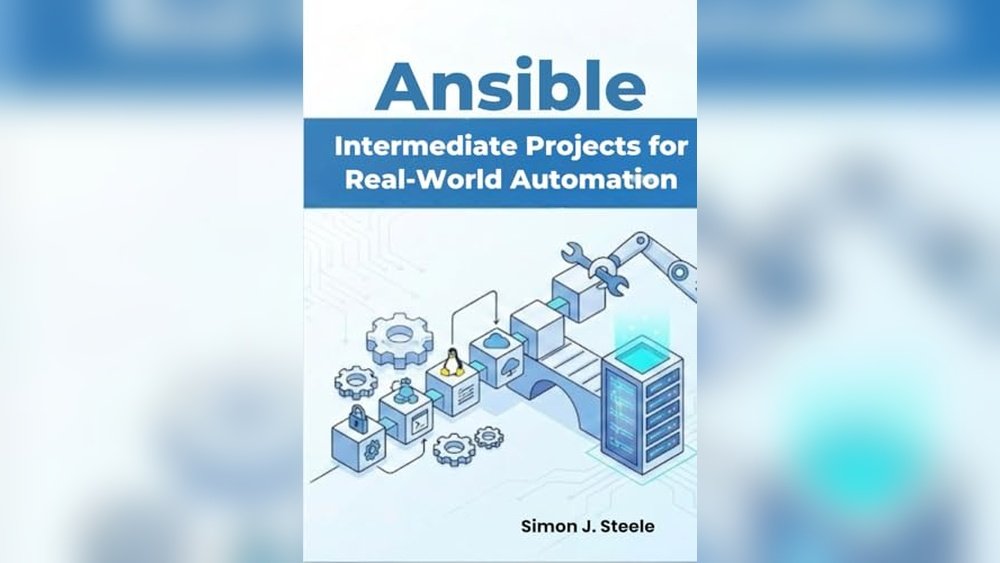
- Learn Ansible – useful for cloud infrastructure, security configuration, and application deployment with Ansible.
- Continuous Delivery – a foundational book for reliable software releases through build, test, and deployment automation.
- Infrastructure-as-Code Automation Using Terraform, Packer, Vault, Nomad and Consul – practical for teams adopting infrastructure as code.
- Production Kubernetes – useful for teams building container-based application platforms.
Frequently Asked Questions
What is the simplest deployment automation setup?
For many small sites, the simplest setup is Git-based deployment with a backup step, dependency installation, asset build, cache purge, and a post-deployment health check. This is easier to maintain than a complex platform that the team does not fully understand.
Is Ansible still useful for deployment automation?
Yes. Ansible is still useful for server setup, configuration management, package installation, service restarts, and repeatable deployment tasks. It is especially practical when teams manage virtual machines or traditional servers.
Do small businesses need Kubernetes?
Usually not at the beginning. Kubernetes can be powerful, but it adds operational complexity. A small business should start with reliable hosting, backups, staging, CI checks, and simple deployment automation before moving to Kubernetes.
How does deployment automation help SEO?
Deployment automation helps SEO indirectly by reducing downtime, broken templates, missing metadata, failed redirects, and performance regressions. Stable release processes protect the pages that earn rankings, leads, and affiliate revenue.

Bottom Line
Application deployment automation is not only a DevOps luxury. It is a business reliability system. Start with the simplest repeatable workflow that protects your site or application: version control, backups, tests, secure secrets, deployment logs, health checks, and rollback. As the business grows, add infrastructure as code, container deployment, staged approvals, and deeper monitoring.
The best deployment system is the one your team can understand, maintain, and trust during a real production problem.


 Khan Nasir