 Khan Nasir
Editor’s Plain-English Take
Developer Tool Integration Platforms: Practical Guide is strongest when it removes workflow friction for developers instead of adding another tool to maintain.
Also Read


Best for
- Development teams that need repeatable deployments, testing, monitoring, or collaboration.
- Technical founders standardizing workflows before the team grows.
- Projects where mistakes in releases, APIs, or environments cost real time.
Avoid if
- Your team has not agreed on the workflow the tool should improve.
- Setup and maintenance cost more time than the problem it solves.
- The tool does not fit your current stack or skill level.
Human buying tip: Trial the tool on one real workflow, such as deployment, testing, monitoring, or API validation, before rolling it across the whole team.
Developer tool integration platforms connect the tools a software team already uses so work can move cleanly from idea to code, test, deployment, monitoring, and support. The best platform reduces copy-paste work, manual status updates, broken handoffs, and hidden context between development, DevOps, data, security, and business teams.
For small teams and technical founders, tool integration is not only a productivity problem. It is a reliability problem. If Git, CI/CD, issue tracking, API testing, logging, cloud hosting, and analytics do not talk to each other, releases become slower and mistakes become harder to trace.

What Is A Developer Tool Integration Platform?
A developer tool integration platform is software that connects engineering tools through APIs, webhooks, connectors, workflow automation, shared dashboards, or event pipelines. It can synchronize issues, trigger builds, move data between systems, create alerts, update deployment status, or give developers one place to find the services and documentation they need.
The category is broad because developer workflows are broad. Some platforms focus on CI/CD, some on internal developer portals, some on data integration, some on enterprise API integration, and some on no-code workflow automation. The right choice depends on the workflow you need to fix first.
Common Integration Problems These Platforms Solve
- Tool sprawl: Teams use many tools, but nobody knows where the source of truth lives.
- Manual handoffs: Developers update tickets, release notes, support teams, and dashboards by hand.
- Slow incident response: Errors, logs, deployments, and code changes are separated across systems.
- Weak release visibility: Product, support, and business teams cannot easily see what shipped.
- Duplicate data entry: The same customer, bug, deployment, or test result is entered in multiple systems.
- Inconsistent developer experience: New team members struggle to find APIs, services, environments, and deployment rules.
Types Of Developer Tool Integration Platforms
| Platform Type | Best For | Examples |
|---|---|---|
| CI/CD integration | Connecting code changes to builds, tests, deployments, and release status. | GitHub Actions, GitLab CI, Jenkins, Dagger |
| Internal developer portal | Creating a central catalog for services, docs, ownership, APIs, and platform workflows. | Backstage, Port, Cortex |
| API integration/iPaaS | Connecting SaaS apps, business systems, APIs, and event workflows. | MuleSoft, Workato, Zapier, n8n |
| Data integration | Moving data between apps, databases, warehouses, and analytics systems. | Airbyte, Fivetran, Dataiku |
| Observability integration | Connecting logs, metrics, traces, errors, and deployment events. | Datadog, Grafana, Sentry, New Relic |
| AI/tool automation | Letting AI agents call tools, query systems, and automate developer workflows with guardrails. | API gateways, function calling tools, internal agent platforms |
How To Choose The Right Platform
Start with the workflow pain, not the brand name. A team that struggles with deployment traceability needs a different solution than a team struggling with data pipelines or API-led enterprise integration.
| If Your Main Problem Is… | Choose This Direction | Why |
|---|---|---|
| Releases are slow or risky | CI/CD integration platform | Automates build, test, deploy, and rollback workflows. |
| Developers cannot find services or docs | Internal developer portal | Creates a searchable service catalog and ownership model. |
| SaaS tools do not share data | iPaaS or workflow automation | Connects business systems without custom glue code for every workflow. |
| Analytics data is scattered | Data integration platform | Moves data into warehouses, BI systems, or operational dashboards. |
| Incidents take too long to diagnose | Observability integration | Connects deploys, logs, traces, metrics, and alerts. |
| AI workflows need real actions | API/tool integration layer | Lets AI systems call approved tools safely and audibly. |
Features To Look For
- Strong API support: The platform should integrate through documented APIs, webhooks, and event triggers.
- Authentication and permission controls: Tool connections should respect least-privilege access.
- Audit logs: You need to know which automation ran, when it ran, and what it changed.
- Error handling: Failed workflows should alert the right person instead of silently breaking.
- Version control support: Integration workflows should be reviewable and change-controlled when possible.
- Reusable templates: Teams should be able to standardize common workflows.
- Monitoring hooks: Integrations should report health and performance, especially for release-critical tasks.
- Clear ownership: Every integration should have an owner, documentation, and a removal plan if it becomes obsolete.

Practical Developer Workflow Examples
Code To Deployment
A pull request is merged. The CI/CD platform builds the application, runs API tests, deploys to staging, posts deployment status in the issue tracker, waits for approval, deploys to production, purges cache, and sends a release note to the team.
For the deployment side of this workflow, read our guide to application deployment automation systems.
API Quality Workflow
An API schema changes. The integration platform triggers contract tests, updates documentation, runs validation checks, alerts dependent teams, and blocks deployment if a breaking change is detected.
For API-specific testing strategy, see API testing and validation tools for developers.
Incident Response Workflow
An error spike appears after a release. The observability platform connects the alert to the deployment event, the commit, the service owner, and the rollback workflow. This saves time because the team does not need to manually stitch together evidence from separate tools.
Data And Analytics Workflow
A data integration platform syncs product, billing, marketing, or support data into a warehouse. Developers and analysts can then build dashboards, quality checks, and reporting workflows without maintaining fragile one-off scripts.
Developer Tool Integration For WordPress And Content Businesses
For WordPress and affiliate sites, developer tool integration usually starts small. The most useful connections are backups, uptime monitoring, form notifications, deployment logs, analytics, SEO tracking, and cache purge workflows. A content business does not need heavy enterprise tooling if the immediate risk is broken pages, failed forms, slow templates, or lost affiliate links.
A practical WordPress workflow might connect hosting backups, Git-based theme changes, LiteSpeed cache purge, Rank Math sitemap checks, contact form alerts, uptime monitoring, and a simple task tracker. For hosting foundations, see our guide to best web hosting for small business.
Security Risks To Watch
- Over-permissioned API tokens: Avoid giving every integration admin-level access.
- Hidden automations: Workflows that nobody owns become fragile and risky.
- Webhook exposure: Public webhooks should validate signatures and secrets.
- Unreviewed no-code changes: No-code automation can still break production systems.
- Data leakage: Integration logs should not expose passwords, API keys, or private customer data.
- AI agent overreach: AI tool integrations need approval gates, rate limits, and action logs.
Implementation Checklist
- List the tools your team uses today.
- Identify the top three manual handoffs that waste time or create mistakes.
- Choose one workflow to automate first.
- Define the source of truth for each field or status.
- Use the least-privilege API permissions possible.
- Add logging and failure alerts.
- Document the workflow owner and rollback/removal steps.
- Measure whether the integration reduced manual work or errors.
- Review active integrations quarterly.
Recommended Learning Resources
The resources below can help developers go deeper into integration architecture, data integration, CI/CD, and developer platforms. Some links may be affiliate links, which means ClickOn24 may earn a commission at no extra cost to you.
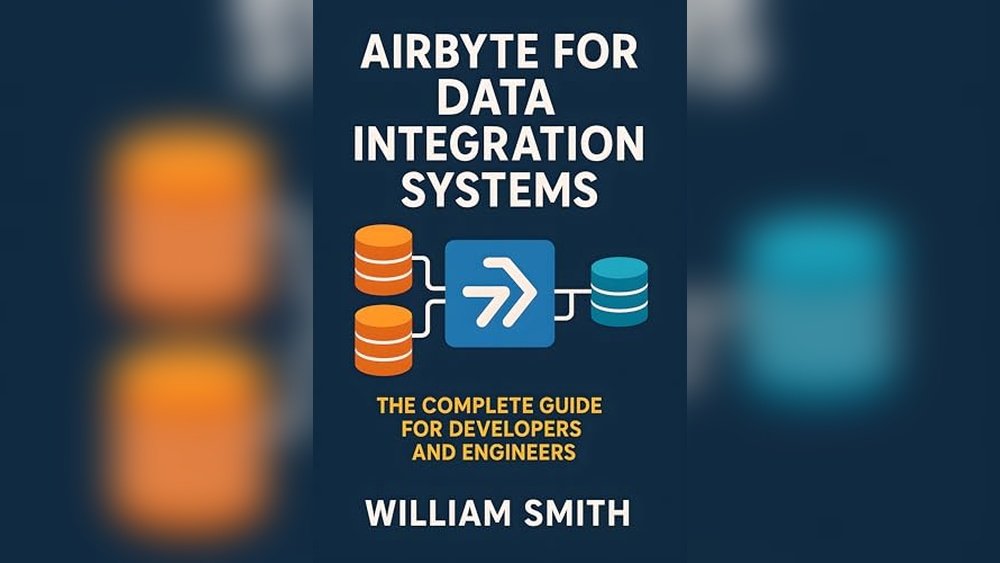
- Airbyte for Data Integration Systems – useful for developers working on data pipeline integrations.
- Dagger.io for Continuous Integration and Delivery – useful for CI/CD workflow automation.
- Camel Integration Patterns and Practices – useful for enterprise integration pattern design.
- The Kubernetes Developer Platform – useful for teams exploring internal developer platforms.

Frequently Asked Questions
What is the best developer tool integration platform?
There is no single best platform for every team. GitHub Actions may be enough for CI/CD automation, Backstage may be better for internal developer portals, Airbyte may be better for data integration, and MuleSoft may be better for enterprise API integration.
Should small teams use an internal developer portal?
Small teams usually do not need a full internal developer portal immediately. They should first document services, owners, environments, deployment steps, and API references. A portal becomes more useful when the team has many services or frequent onboarding pain.
How do webhooks and APIs fit into tool integration?
APIs let one system request or update data in another system. Webhooks let one system notify another system when an event happens. Together, they form the foundation for most developer tool integrations.
Can AI agents integrate developer tools safely?
Yes, but only with guardrails. AI agents should use scoped permissions, approval steps for risky actions, detailed logs, rate limits, and clear boundaries around production systems and customer data.
Bottom Line
Developer tool integration platforms are most valuable when they remove real friction from engineering work. Start with one painful workflow, connect the minimum tools needed, secure the permissions, document ownership, and measure the result. Good integration should make releases safer, incidents clearer, onboarding easier, and developer work less repetitive.


 Khan Nasir