 Khan Nasir
Affiliate disclosure: As an Amazon Associate, ClickOn24 earns from qualifying purchases. If you buy through our links we may earn a small commission, at no extra cost to you. We only recommend gear we’d use ourselves.
Also Read


Choosing a laptop for programming is one of those decisions you live with every day for years — so getting it right matters. I’ve coded on everything from a sluggish budget machine that made me want to throw it out a window to a powerhouse that compiles in seconds, and the difference in daily frustration is enormous. The good news? You don’t need to spend a fortune to get a genuinely great developer laptop in 2026 — you just need to know what actually matters.
This guide covers the 12 best laptops for programming and development across every budget and use case — web dev, data science, mobile, game dev, and more — plus exactly what specs to prioritize and the mistakes that waste your money. For more, see our developer tools guides.
What actually matters in a programming laptop
Forget marketing buzzwords — here’s what genuinely affects your coding life. RAM is king: 16GB is the realistic minimum for modern dev work (running an IDE, browser with 40 tabs, Docker, and a database at once), and 32GB is ideal for heavier workloads. A fast SSD (512GB+, NVMe) makes everything — boot, builds, file searches — feel instant. A capable multi-core CPU speeds up compiling and running containers. A good display (at least 1080p, ideally higher and color-accurate) saves your eyes over long days. And battery life and a comfortable keyboard matter more than you’d think when you’re typing all day.

How to choose by what you build
- Web / general dev — 16GB RAM, fast SSD, solid CPU; most modern laptops handle this.
- Data science / ML — 32GB+ RAM and ideally a dedicated GPU for training.
- Mobile / iOS dev — a Mac is effectively required for iOS; great for general dev too.
- Game dev / heavy compiling — powerful CPU + GPU and lots of RAM.
- On the go — prioritize battery life and weight.
The 12 best laptops for programming
1. Best overall — premium ultrabook
For most developers, a premium ultrabook with a strong multi-core CPU, 16–32GB RAM, a fast NVMe SSD, and a sharp display is the sweet spot: powerful enough for serious work, light enough to carry, with all-day battery. It just gets out of your way and lets you code.
- ✅ Powerful yet portable
- ✅ All-day battery, great display
- ❌ Premium pricing
Check Today’s Price on Amazon →
2. Best Mac for developers
Apple Silicon MacBooks are a developer favorite for good reason — outstanding performance, incredible battery life, near-silent operation, and a Unix-based OS that’s lovely for development. Essential if you build iOS apps, and excellent for web and general dev too.
- ✅ Superb performance & battery
- ✅ Required for iOS dev
- ❌ Premium price; less upgradeable
Check Today’s Price on Amazon →
3. Best budget laptop for coding
You can absolutely learn to code and do real web development on a budget machine. Look for at least 16GB RAM (or upgradeable), an SSD, and a recent CPU. Perfect for students and beginners not doing heavy compiling.
- ✅ Affordable entry to dev
- ✅ Great for web & learning
- ❌ Struggles with heavy workloads
Check Today’s Price on Amazon →
4. Best for data science & machine learning
ML and data work demand serious resources: 32GB+ RAM and a dedicated NVIDIA GPU for training models locally. A workstation-class laptop handles big datasets without crawling.
- ✅ Handles ML & big datasets
- ✅ Dedicated GPU for training
- ❌ Heavier, pricier, shorter battery
Check Today’s Price on Amazon →
5. Best Linux-friendly laptop
If you run Linux, choose a laptop with strong hardware compatibility (or one that ships with Linux). Clean driver support means no fighting wifi or trackpad issues — just productive coding.
- ✅ Excellent Linux support
- ✅ Developer-focused builds
- ❌ Check your distro’s compatibility
Check Today’s Price on Amazon →
6. Best 2-in-1 for developers
A convertible 2-in-1 gives you a laptop for coding and a tablet for reading docs, reviewing PRs, or sketching architecture. Versatile for those who work in varied settings.
- ✅ Laptop + tablet flexibility
- ✅ Great for docs & review
- ❌ Usually less raw power
Check Today’s Price on Amazon →
7. Best for game development
Game dev needs a powerful CPU and GPU for engines like Unity and Unreal. A gaming laptop doubles as a dev powerhouse — just expect more weight and heat.
- ✅ Handles game engines well
- ✅ Powerful CPU + GPU
- ❌ Heavy; loud fans under load
Check Today’s Price on Amazon →
8. Best lightweight / travel laptop
For digital nomads and frequent travelers, an ultralight laptop with long battery life keeps you coding from cafés and flights without back strain or hunting for outlets.
- ✅ Ultralight, long battery
- ✅ Ideal for remote work
- ❌ Smaller screen to save weight
Check Today’s Price on Amazon →
9. Best big-screen laptop
If you don’t use an external monitor, a 16–17 inch laptop gives you room for code, terminal, and browser side by side. Easier on the eyes for long sessions.
- ✅ More screen real estate
- ✅ Comfortable for long coding
- ❌ Bulkier to carry
Check Today’s Price on Amazon →
10. Best Chromebook for cloud / web dev
For cloud-based development (VS Code in the browser, remote containers), a capable Chromebook with Linux support is a surprisingly affordable, snappy option. Great for web work that lives in the cloud.
- ✅ Affordable, fast, secure
- ✅ Great for cloud dev
- ❌ Not for heavy local workloads
Check Today’s Price on Amazon →
11. Best business laptop
Business-class laptops offer durability, excellent keyboards, strong security features, and great support — ideal for professional developers and small teams who need reliability.
- ✅ Durable, great keyboard
- ✅ Security & support features
- ❌ Conservative design
Check Today’s Price on Amazon →
12. Best value workhorse
The mid-range sweet spot: 16GB RAM, a fast SSD, a recent CPU, and a good display without premium-tier pricing. The smart all-rounder for most working developers.
- ✅ Strong specs, fair price
- ✅ Handles most dev work
- ❌ Not for the heaviest ML/game work
Check Today’s Price on Amazon →
How we chose these laptops
We prioritized the specs that genuinely affect coding — RAM, SSD speed, CPU performance, display quality, keyboard comfort, and battery life — over flashy extras. We included a strong pick for every type of developer and every budget, from students learning to code to ML engineers training models. Reliability and build quality mattered too, since a dev laptop is a multi-year investment.
Setting up a new dev laptop
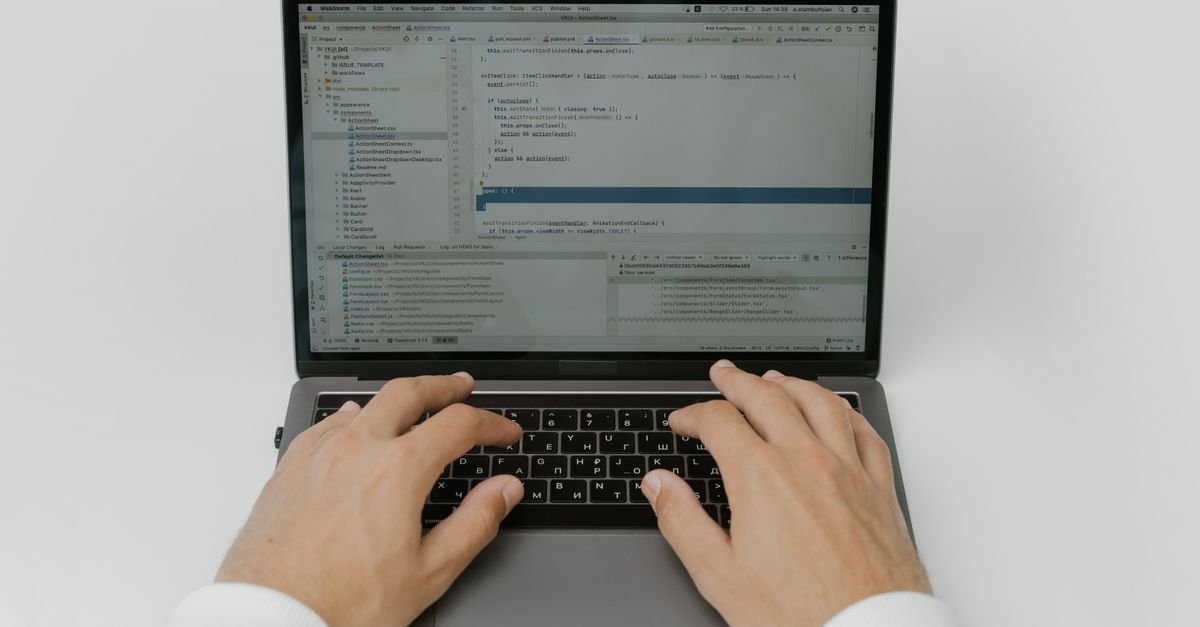
Once your laptop arrives, a little setup pays off for years. Max out RAM if it’s upgradeable, enable full-disk encryption, and set up automatic backups immediately. Install your IDE, package manager, version control, and a good terminal, then configure dotfiles so your environment is consistent across machines. Pair it with an external monitor and a comfortable keyboard for desk work, and you’ve got a setup that’ll keep you productive for years.
Mistakes to avoid
- Skimping on RAM — the #1 regret; 16GB minimum, 32GB if you can.
- Buying a tiny SSD — 512GB+ avoids constant cleanup; storage fills fast.
- Ignoring the keyboard — you type all day; a bad keyboard is misery.
- Overbuying a GPU you won’t use — only ML and game dev need a strong GPU.
- Forgetting battery & weight — if you’re mobile, these matter daily.
Frequently asked questions
How much RAM do I need for programming?
16GB is the realistic minimum for modern development; 32GB is ideal if you run Docker, VMs, or do data science. 8GB will frustrate you quickly.
Is a Mac or Windows laptop better for coding?
Both are excellent. Macs are favored for their Unix base, battery, and iOS dev (required for Apple apps); Windows offers more hardware choice and value, plus WSL for a Linux environment. Pick the OS you’re most comfortable in.
Do I need a dedicated graphics card for programming?
Only for machine learning, game development, or GPU-accelerated work. For web, mobile, and general dev, integrated graphics are completely fine.
Can I code on a budget laptop?
Yes — with at least 16GB RAM and an SSD, a budget laptop handles web development and learning well. Heavy compiling and ML are where you’ll want more power.
What screen size is best for coding?
14–16 inches balances portability and usable space. If you skip an external monitor, lean toward 16–17 inches for room to multitask.
How long should a programming laptop last?
A well-specced laptop (especially with 32GB RAM) lasts 4–6 years for most developers. Buying a bit more power than you need today extends its useful life.
Is a Chromebook good for development?
For cloud-based and web development, yes — modern Chromebooks with Linux support are fast and affordable. They’re not suited to heavy local workloads.
Should I prioritize CPU or RAM?
For most developers, RAM first (it’s the common bottleneck), then a fast SSD, then CPU. Only ML and game dev should prioritize CPU/GPU power above RAM.
Essential accessories for your dev setup
A great laptop is just the start. A few accessories transform it into a productive workstation. An external monitor is the single biggest upgrade — see our monitor guide. Add a mechanical keyboard and a good mouse for comfortable all-day input (see our keyboard guide), a USB-C dock or hub to connect everything over one cable, a laptop stand to raise the screen to eye level, and a fast external SSD for backups and extra storage. Together these turn a portable laptop into an ergonomic, capable desk setup — while keeping the freedom to grab the laptop and go.

Mac vs Windows vs Linux for development
Each has a place. macOS offers a Unix base, superb battery, and is required for iOS development — a favorite for web and mobile devs. Windows gives the widest hardware choice and value, and with WSL you get a real Linux environment alongside it — great for .NET, game dev, and mixed stacks. Linux is the natural home for backend, DevOps, and open-source work, with total control and no licensing cost. Honestly, all three are excellent today — choose the ecosystem your stack and team use, and the OS you’re most productive in.
How much should I spend on a developer laptop?
A capable mid-range machine runs $700–$1,200; premium ultrabooks and Apple Silicon MacBooks $1,200–$2,500; ML/game-dev workstations more. Spend where it counts — RAM and SSD — rather than on extras you won’t use.
Is it worth buying a refurbished developer laptop?
Often yes — certified refurbished business and Apple machines offer excellent value with warranties. Just confirm RAM and SSD specs meet your needs, since those are the hardest things to upgrade later.
Bottom line
For most developers, a premium ultrabook (or Apple Silicon MacBook) with 16–32GB RAM and a fast SSD is the reliable, do-everything choice. Doing ML or game dev? Step up to a dedicated GPU and 32GB+. On a budget? A 16GB machine with an SSD handles web dev and learning beautifully. Prioritize RAM, storage speed, and a comfortable keyboard — the specs you actually feel every day — and your laptop will keep you productive for years. 💻
— The ClickOn24 team 💻


 Khan Nasir