 Khan Nasir
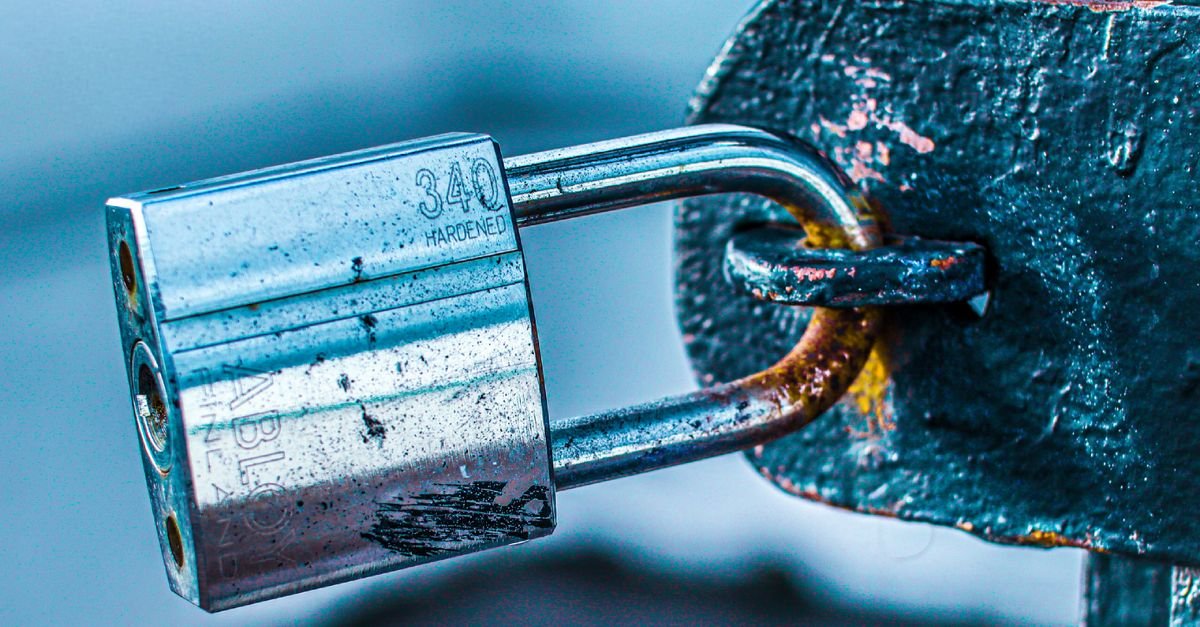
An SSL certificate is a small digital file that encrypts the connection between a website and its visitors, turning http:// into the secure https:// and showing the padlock in the browser. It proves your site is genuine and keeps data private in transit. Here’s how SSL works and why every site needs one.
Also Read


Key Takeaways
- An SSL certificate encrypts data between your site and visitors, enabling HTTPS.
- It builds trust (the padlock) and is a confirmed Google ranking signal.
- SSL and TLS are the same idea — TLS is just the modern version.
- Most good hosts include a free SSL certificate (via Let’s Encrypt).
- Without SSL, browsers label your site “Not Secure” and scare visitors away.
What is an SSL certificate?
An SSL certificate is a digital credential installed on a web server that enables an encrypted, verified connection.
SSL stands for Secure Sockets Layer. When a site has one, browsers connect over HTTPS instead of plain HTTP, and data travels scrambled rather than in the clear.
The certificate does two jobs: it encrypts the connection, and it confirms the site is who it claims to be.
The Akamai Developers video below is a clear walk-through of how SSL, TLS and HTTPS fit together.
What is HTTPS, and how does SSL relate to it?
HTTPS is simply HTTP with encryption added — and that encryption is what an SSL certificate provides.
When you see https:// and a padlock, an SSL/TLS certificate is doing its work behind the scenes.
No certificate means no HTTPS, which is why the two are so closely linked.
SSL vs TLS: what’s the difference?
This trips up a lot of people, so here’s the short version.
SSL is the original protocol; TLS (Transport Layer Security) is its modern, more secure successor. Today, “SSL certificate” is really a TLS certificate — the old name just stuck.
So when people say SSL, they almost always mean TLS. You can treat the terms as interchangeable in everyday use.
How does an SSL certificate work?

SSL works through a quick exchange called the “handshake.”
When your browser connects, the server presents its certificate, the browser checks it’s valid and trusted, and the two agree on encryption keys.
From then on, everything sent between them is encrypted — unreadable to anyone who intercepts it. All of this happens in a fraction of a second.
Why do you need an SSL certificate?
There are three big reasons, and they apply to every site.
Security: it protects passwords, payment details and any data visitors submit.
Trust: the padlock reassures visitors your site is legitimate.
SEO and access: Google favors HTTPS, and browsers now warn users away from sites without it.
What happens if your site doesn’t have SSL?
Going without SSL is no longer an option for a serious site.
Modern browsers flag HTTP pages as “Not Secure,” often right in the address bar, which frightens visitors and tanks conversions.
Any data submitted is also sent in the clear, where it can be intercepted. In short: no SSL, no trust.
Does an SSL certificate help SEO?
Yes — Google confirmed HTTPS as a ranking signal years ago.
It’s a lightweight signal on its own, but combined with the trust and lower bounce rates that come from a secure site, it matters.
Just as importantly, a “Not Secure” warning drives visitors away, which indirectly hurts your rankings.
What are the types of SSL certificates?
Certificates differ by how much the owner is verified.
- Domain Validation (DV): confirms you control the domain. Quick, cheap or free — fine for most sites and blogs.
- Organization Validation (OV): also verifies your business details.
- Extended Validation (EV): the most rigorous checks, used by large businesses and banks.
For a typical website, a free DV certificate is all you need.
Single-domain, wildcard and multi-domain certificates
Certificates also differ by how many names they cover.
A single-domain certificate secures one domain. A wildcard secures a domain and all its subdomains (blog, shop, and so on). A multi-domain certificate covers several separate domains at once.
Most small sites only need a single-domain or wildcard certificate.
What is a Certificate Authority (CA)?
A Certificate Authority is a trusted organization that issues SSL certificates.
Browsers keep a list of CAs they trust. When a CA signs your certificate, browsers accept it as genuine.
This chain of trust is what stops just anyone from impersonating a secure site.
What is Let’s Encrypt, and can SSL be free?
Yes — SSL can absolutely be free.
Let’s Encrypt is a non-profit Certificate Authority that issues free DV certificates, and it’s why most hosts now include SSL at no cost.
Free certificates use the same strong encryption as paid ones; the difference is the level of identity verification, not security.
Free vs paid SSL: which do you need?
For the vast majority of sites, free SSL is perfect.
A blog, portfolio or small business site is well served by a free DV certificate. Paid OV/EV certificates make sense mainly for larger organizations that want visible business verification.
Don’t pay for SSL you don’t need — check whether your host already includes it.
How do you get an SSL certificate?
The easiest route is through your web host.
Most quality hosts offer one-click free SSL, often enabled automatically. Otherwise you can obtain one from a CA and install it yourself.
See our note on SSL certificate hosting for what to look for.
Get Hosting With a Free SSL Certificate →
How do you install an SSL certificate?
Installation is far easier than it used to be.
With most hosts you simply toggle SSL on in the dashboard or cPanel, and it handles the rest, including renewals.
On WordPress, a plugin can then ensure every link loads over HTTPS. Our guide on how to secure your WordPress site covers this step.
How can you tell if a site has SSL?
It’s easy to check any site at a glance.
Look for https:// at the start of the address and a padlock icon. Clicking the padlock shows certificate details.
If you see “Not Secure” or a warning, the site either has no certificate or a broken one.
What causes SSL certificate errors?
Sometimes a site shows a scary certificate warning.
Common causes include an expired certificate, a mismatch between the certificate and the domain, or a certificate not issued by a trusted CA.
Most are quick fixes — renewing the certificate or correcting the domain settings usually resolves them. Correct DNS records matter here too.
Does SSL slow your site down?
Practically no — and it can even make sites faster.
Modern encryption is highly optimized, and HTTPS unlocks HTTP/2, a faster protocol browsers only use over secure connections.
Pair SSL with a CDN and your secure site can be quicker than an old HTTP one.
Common SSL mistakes to avoid
- Letting a certificate expire — enable auto-renewal.
- Mixed content: loading some images or scripts over HTTP breaks the padlock.
- Paying for SSL your host already gives you free.
- Not redirecting HTTP to HTTPS, leaving insecure versions live.
- Ignoring certificate warnings on sites you visit.
Is an SSL certificate the same as a VPN?
No — they protect different things.
An SSL certificate secures the connection between a specific website and its visitors. A VPN encrypts all traffic between your device and the internet, across every site you visit.
SSL protects a site’s visitors; a VPN protects an individual user’s whole connection. They’re complementary, not interchangeable.
What is mixed content, and how do you fix it?
Mixed content happens when a secure HTTPS page still loads some resources — an image or script — over insecure HTTP.
Browsers respond by breaking the padlock or blocking those resources, undermining the point of SSL.
The fix is to make every asset load over HTTPS. On WordPress, a simple plugin can rewrite these links automatically.
How long does an SSL certificate last?
Certificates are issued for a limited time and must be renewed.
Free certificates from Let’s Encrypt last 90 days and renew automatically. Paid certificates often run for a year.
The key is automation: with auto-renewal on, you never think about it. An expired certificate throws a scary warning at every visitor.
What happens during the SSL/TLS handshake?
The handshake is the quick negotiation that sets up an encrypted connection.
Your browser and the server say hello, the server proves its identity with its certificate, and the two agree on how to encrypt the session.
Once keys are exchanged, all further data is scrambled. It sounds involved, but it finishes in milliseconds every time you load a page.
Do you need SSL if your site has no logins or payments?
Yes — even a simple blog needs it today.
Browsers label every HTTP site “Not Secure” regardless of what it does, and Google favors HTTPS across the board.
SSL also protects the integrity of your pages in transit. There’s no modern reason to run a site without it, especially when it’s free.
How do you move a site to HTTPS without hurting SEO?
Migrating to HTTPS is safe if you do it cleanly.
Install the certificate, update your site’s address to https, and set 301 redirects from every http URL to its https version so no link value is lost.
Then update internal links and resubmit your sitemap. Done properly, the move is seamless and can even give rankings a small lift.
What are the common signs of an SSL problem?
Your browser will usually tell you loudly.
Warnings like “Your connection is not private,” a crossed-out padlock, or “Not Secure” all point to a certificate issue — expired, mismatched, or missing.
Most are quick fixes once you know the cause, and an online SSL tester pinpoints the problem fast.
What is HSTS, and should you use it?
HSTS (HTTP Strict Transport Security) tells browsers to only ever connect to your site over HTTPS.
Once set, it stops anyone from being downgraded to an insecure connection, closing a subtle attack window.
It’s an optional but recommended extra once your HTTPS is working smoothly, and many hosts enable it with a toggle.
Do subdomains need their own SSL?
It depends on your certificate.
A standard certificate covers one exact name. A wildcard certificate covers a domain and all its subdomains at once, which is simpler if you run several.
Check what your host issues; many now secure subdomains automatically.
Can a small business afford SSL?
Yes — for most, it costs nothing.
Free certificates give the same encryption as paid ones, and reputable hosts bundle them in. Budget is no longer a reason to skip HTTPS.
If you ever need visible business verification, paid options exist, but the secure padlock itself is free.
Frequently Asked Questions
What is an SSL certificate in simple terms?
An SSL certificate is a digital file on a web server that encrypts the connection between the site and its visitors and verifies the site’s identity. It turns http into secure https and shows the padlock, keeping data like passwords and payments private in transit.
What is the difference between SSL and TLS?
SSL is the original security protocol; TLS (Transport Layer Security) is its modern, more secure successor. Today’s “SSL certificates” are really TLS certificates — the older name simply stuck. In everyday use, the two terms are interchangeable.
Do I really need an SSL certificate?
Yes. Browsers now label sites without SSL as “Not Secure,” which scares visitors away, and Google treats HTTPS as a ranking signal. SSL also protects any data your visitors submit. Every modern website should have one — and most hosts include it free.
Is a free SSL certificate as safe as a paid one?
For encryption, yes. Free certificates from authorities like Let’s Encrypt use the same strong encryption as paid ones. The difference is the level of identity verification (DV vs OV/EV), not the security of the connection itself.
How do I get an SSL certificate for my website?
The easiest way is through your web host, which usually offers one-click free SSL that’s often enabled automatically. Alternatively, you can obtain a certificate from a Certificate Authority and install it yourself, though the host route is far simpler.
Why does my browser say “Not Secure”?
That warning means the page has no valid SSL certificate, so the connection isn’t encrypted. It can also appear if a certificate has expired, doesn’t match the domain, or the page loads some resources over insecure HTTP (mixed content). Installing or fixing SSL resolves it.
Does an SSL certificate affect website speed?
Barely, and it can even help. Modern encryption is highly optimized, and HTTPS enables the faster HTTP/2 protocol. Combined with a CDN, a secure site often loads faster than an old unencrypted one, so SSL is not a meaningful speed trade-off.
The bottom line
An SSL certificate is a non-negotiable basic of running a website — it encrypts data, earns trust, and keeps you out of Google’s “Not Secure” penalty box.
For almost everyone, a free DV certificate from your host is all you need.
Turn it on, redirect HTTP to HTTPS, and pair it with the rest of a solid setup — start with our guide on securing your WordPress site.

 Khan Nasir